SHOKZ OpenRun Pro 2
SHOKZ OpenRun Pro 2
This advanced open-ear Bluetooth headset delivers powerful, balanced sound while keeping your ears open to your surroundings.
With up to 10 hours of battery life, fast charging (5 minutes = up to 1.5 hours of use), and sweat- and splash-resistant protection (IP55), it’s designed to keep up with long, demanding days.
Pairs with the CEECOACH 2 and CEECOACH Plus communication devices for seamless communication with your group.
In the Box:
1 x OpenRun Pro 2 Bluetooth Headset
1 x Carrying case
1 x USB-C charging cable
1 x User manual
Features....
Features....
- Bone Conduction Technology
- DSP Noise-Canceling Microphone
- 16-Hour Talk Time & USB-C Quick Charge
- Seamless Bluetooth Connectivity with CEECOACH 2 and Plus devices ***(In order to connect to your CEECOACH 2, it must be on the latest software)
What's in the box....
What's in the box....
What's In The Box:
1 x OpenComm2 headset
1 x Carrying case
1 x USB-C charging cable
1 x User manual
Couldn't load pickup availability


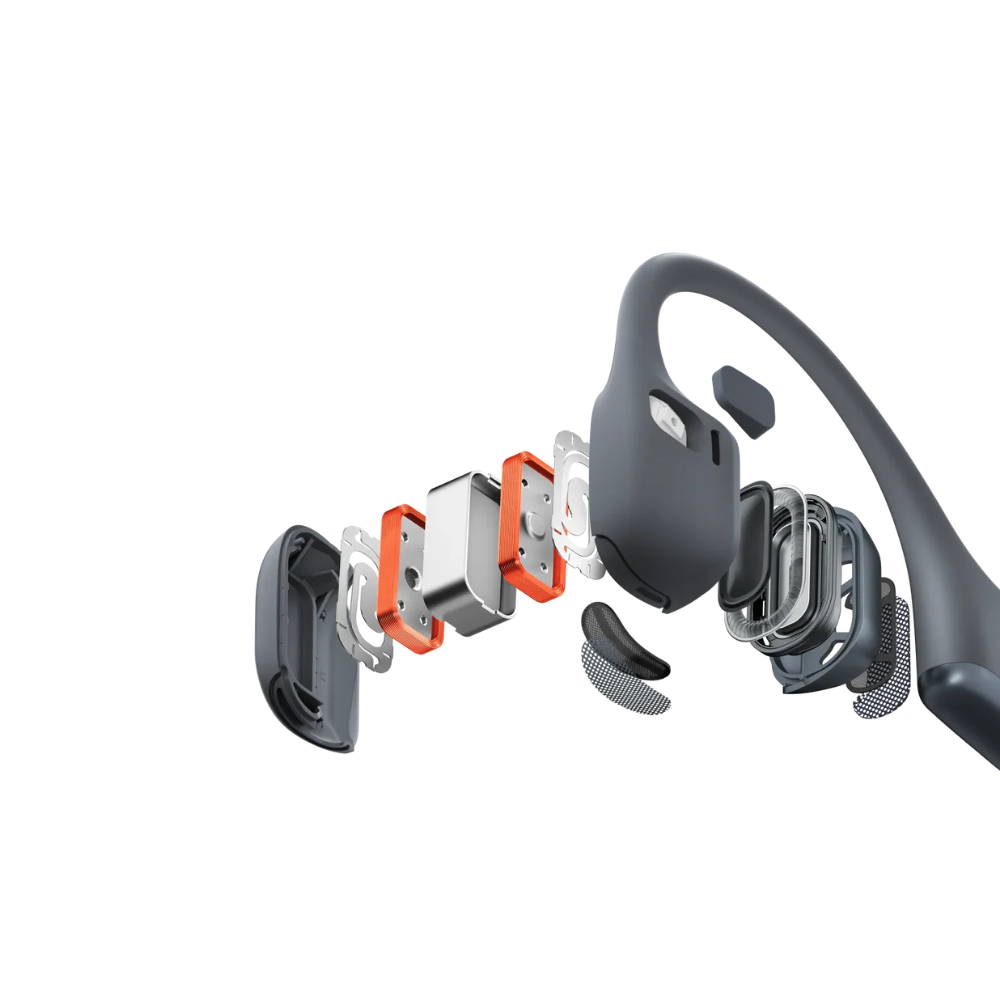

Advanced Open-Ear Design
Unlike traditional headsets that cover your ears and cut you off from your surroundings, OpenRun Pro 2 headset open-ear design keeps you connected to the conversation within your CEECOACH group as well as your surroundings without compromising on comfort or audio quality.
-

Reduced Vibrations with DualPitch™
-

Immerse Yourself in 3D Audio Perfection
-

Bone Conduction Technology
-

Charge-up Fast with
Power to Last -

IP55 Water Resistant
-

Reliable Bluetooth connectivity


Specifications of the SHOKZ OpenRun Pro 2
Technical Data
headset connection
headset connection :
Bluetooth®
colors
black
battery
Up to 12 hours of Battery Life
package contents
What's In The Box:
1 x OpenRun Pro 2 headset
1 x Carrying case
1 x USB-C charging cable
1 x User manual

Wind at Your Back, Voice at the Forefront.
Meticulously engineered wind-resistance and optimized sound channels ensure your voice is loud and clear, even during speeds up to 25 km.
Frequently asked questions and answers
Questions about SHOKZ OpenPRO Bluetooth Headset
Which CEECOACH devices can OpenRUN be paired with?
You can easily connect your OpenRUN headset with our CEECOACH Plus and CEECOACH 2 devices. If for some reason you cannot successfully pair your headset with your devices, please ensure you're following the instructions on the user guide and please ensure your CEECOACH device has the most up-to-date software.
***(In order to connect to your CEECOACH 2, it must be on the latest software)
Can I connect the OpenRUN to multiple CEECOACH devices?
No, not simultaneously. Each user in a group must have their own CEECOACH device to hear and communicate with, therefore each user in the group with a device must also have their own headset to hear and communicate with. If the question refers to is the headset able to connect different devices within a group, then yes, as long as it's a Bluetooth compatible CEECOACH device.
Do I have to purchase a CEECOACH device to communicate in a group or can I just use the OpenRUN headset?
In order to communicate in a paired group, each user must have their own CEECOACH device and headset. You cannot use the OpenRUN as a stand-alone communication device.
How do I power on and off the OpenRUN Bluetooth Headset?
Press and hole the " + " button on the OpenRUN headset to power the device on and do the same to power the device off. Ensure the headset is properly charged.
How do I put the OpenRUN Bluetooth headset into Bluetooth pairing mode?
- Start with your headset turned off.
- Press and continue to hold the Volume + Button until the LED indicator flashes red and blue alternately.
- Put your CEECOACH device into pairing mode and wait for connection. If unsuccessful, try again or update the software on the device.